 Easy Shabad Finder
Search in plain English
Type 2–3 words the way they sound — mere sahiba kon — and get matching lines instantly. No Gurmukhi keyboard needed.
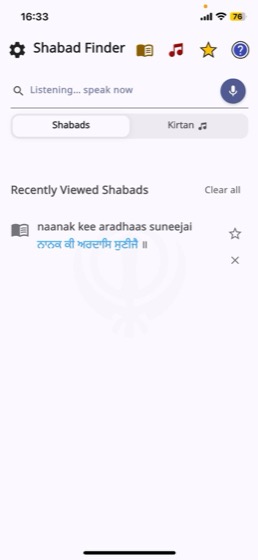
Remember a line but not where it comes from? Type it — or just say it — in plain English. Easy Shabad Finder takes you straight to the Shabad, with Gurmukhi, transliteration, translations and meanings side by side.
Search, read, listen and keep — without switching between apps.
Type 2–3 words the way they sound — mere sahiba kon — and get matching lines instantly. No Gurmukhi keyboard needed.
Tap the mic and say the line you remember. Ideal when you are driving or unsure of the spelling.
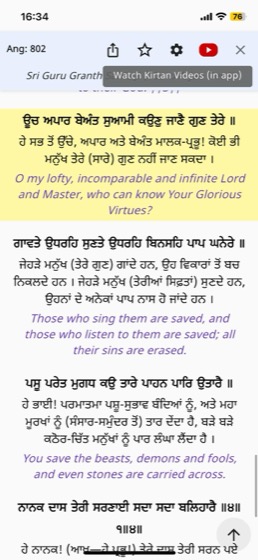
All 1430 Angs of Sri Guru Granth Sahib Ji, with English translation and the Punjabi Sahib Singh teeka.
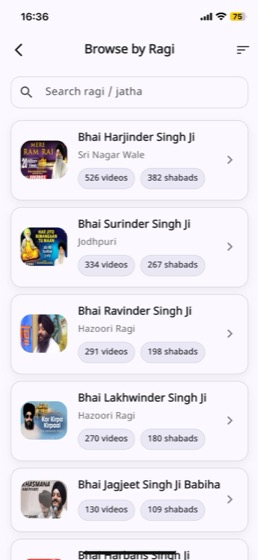
Every Shabad links to Kirtan recordings. Browse by Ragi, build playlists and shuffle your favourites.
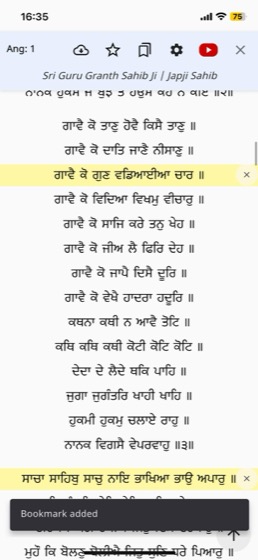
Japji Sahib, Rehras, Sukhmani Sahib and more — pinned for daily paath with bookmarks that remember your place.
Star any line, organise Shabads and videos into folders, and share a link that opens the exact line on a friend's phone.
Most people recall a fragment — a few words from the middle of a line. That is exactly what the app is designed around.
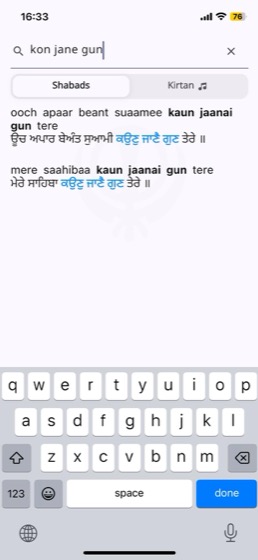

Type two or three words in plain English from anywhere in the Shabad — the beginning, middle or end. The app matches your spelling against Gurmukhi and shows matching lines as you type, so you never need a Gurmukhi keyboard.
That is expected. The same line can be written many ways in English — sahiba, saahibaa, sahibaa. Search is built to handle those variations rather than demand an exact match.
Yes — all 1430 Angs, with Gurmukhi, English translation by Dr. Sant Singh Khalsa and the Punjabi Sri Guru Granth Darpan teeka by Prof. Sahib Singh Ji. You can move between a search result and its Ang in the reader.
Lines can be displayed in Gurmukhi, Hindi, Urdu and English transliteration, and you can turn each on or off. Translations are available in Punjabi, Hindi and English, with a choice of author.
Your favourites and saved Banis are cached on your device so you can read them offline. Search and Kirtan videos need a connection.
Yes. The app is free to download and use on both iOS and Android.
Free on iPhone and Android. No account needed — open the app and search.